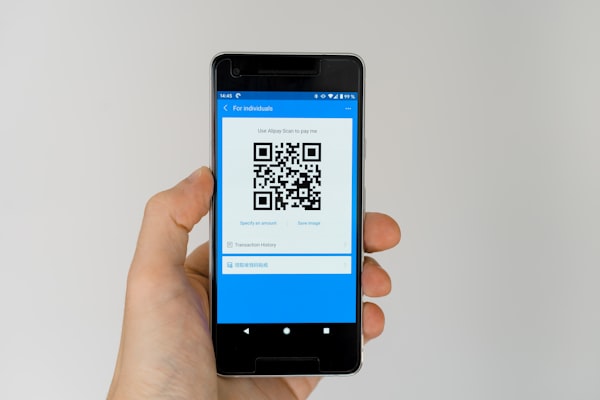
You pull out your phone to scan a QR code on a delivery package. The label is wrinkled, a corner of the code is torn off, and there is a smudge of dirt right across the middle. You expect it to fail - but your camera reads it instantly. How?
The answer is QR code error correction. This built-in redundancy system is one of the most impressive features of QR code technology. It allows codes to be scanned even when up to 30% of their surface area is damaged, dirty, or obscured. Whether you are adding a company logo to a QR code or printing one on a warehouse crate that will take abuse, understanding error correction is essential.
What Is QR Code Error Correction?
QR code error correction is a system of redundant data embedded into every QR code. When a QR code is generated, the data is not stored once - it is stored in multiple overlapping blocks. Extra parity data (recovery modules) is added alongside the actual content. When you scan the code, the scanner reads all available modules and uses the redundant information to reconstruct any missing or corrupted parts.
This is not just a nice-to-have feature. Error correction is part of the QR code standard from the very beginning. The engineers at Denso Wave who invented QR codes in 1994 knew that codes would be used in factories and warehouses where dirt, grease, and wear-and-tear were unavoidable. They made QR code damage recovery a core requirement of the design.
Every QR code you have ever scanned - whether on a restaurant menu, a business card, or a product label - contains error correction data. The only question is how much redundancy was added when the code was created.
The Four Error Correction Levels
The QR code standard defines four error correction levels, each offering a different trade-off between data capacity and damage tolerance. Higher levels of error correction allow more damage before the code becomes unreadable, but they also require more modules, which means less space for actual data.
Level L (Low - 7% Recovery)
Level L (Low) can recover up to 7% of the code surface area. It adds the smallest amount of error correction data, leaving more room for payload content. This level is best for controlled environments where the QR code will not be exposed to dirt, scratches, or physical handling.
Use Level L when you need to fit the maximum amount of data into a QR code and the code will be displayed digitally (on a screen, a digital sign, or a website). If you are generating a QR code for a digital ticket shown on a phone screen, Level L is perfectly adequate - the code will not get physically damaged.
Level M (Medium - 15% Recovery)
Level M (Medium) can recover up to 15% of the code surface area. It strikes the best balance between data capacity and protection. This is the default level used by most QR code generators (including URSAQR) and is recommended for general-purpose use.
If you are printing QR codes on flyers, posters, product packaging, or business cards, Level M is a solid choice. It handles minor scratches, smudges, and creases without consuming too much space. Level M also works well for codes that will be laminated or coated, since the coating can sometimes introduce small reflections that interfere with scanning.
Level Q (Quartile - 25% Recovery)
Level Q (Quartile) can recover up to 25% of the code surface area. This is the level you should choose when you plan to add a logo, icon, or artwork to the center of your QR code - a practice often called a custom QR code or branded QR code.
A typical logo placed in the center of a QR code covers roughly 15-20% of the code area. Level Q gives you enough headroom to accommodate that obstruction while still leaving a safety margin for additional damage. This is why many marketing teams choose Level Q: it allows a recognizable brand logo without breaking scan reliability.
If you are using URSAQR to generate a custom QR code with a logo overlay, Level Q is our recommended starting point.
Level H (High - 30% Recovery)
Level H (High) can recover up to 30% of the code surface area. This is the maximum error correction level available in the QR code standard. Level H adds the most redundant data, which means the resulting code is denser and has less room for payload data - but it is also the most resilient.
Level H is the right choice for QR codes used in harsh environments: outdoor signage, industrial equipment labels, shipping labels on warehouse crates, or codes printed on materials that will be bent, scratched, or exposed to the elements. If there is any chance your QR code will take physical abuse, go with Level H.
How Reed-Solomon Error Correction Works
The technology behind QR code error correction is called Reed-Solomon error correction, named after Irving S. Reed and Gustave Solomon, who developed the algorithm in 1960. It is the same technology used in CDs, DVDs, satellite communications, and deep-space probes. The mathematics behind Reed-Solomon are complex (involving finite field arithmetic and polynomial coding), but the basic idea is simple.
Imagine you are sending a short message to a friend: "MEET AT 5". Now imagine that this message might get garbled in transit. To make it more reliable, you could send the same message multiple times:
"MEET AT 5 MEET AT 5 MEET AT 5"
If one copy gets damaged, your friend can still piece together the original message from the remaining copies. This is the intuitive idea behind Reed-Solomon - but it is much more clever. Instead of repeating the entire message, Reed-Solomon adds carefully computed parity symbols that allow the original data to be mathematically reconstructed even when parts are completely missing.
In a QR code, the data is split into blocks, and Reed-Solomon codewords (the parity data) are generated for each block. When you scan a damaged QR code, the scanner reads whatever modules it can see, identifies which ones are corrupted or missing, and uses the Reed-Solomon algorithm to reconstruct the original data from the surviving modules and the parity information.
This is why a QR code with a logo in the center still scans. The logo destroys the underlying modules, but the Reed-Solomon redundancy fills in the gaps. The scanner never even knows there was a missing piece.
Choosing the Right Error Correction Level
Picking the right error correction level depends on your specific use case. Here is a quick decision guide:
- Level L (7%) - Use when maximizing data capacity is critical and the code will remain in pristine condition (e.g., digital-only codes, high-density data like encrypted payloads, or codes that will never be printed).
- Level M (15%) - Use as your default for most printed QR codes. It is the best all-rounder for flyers, posters, business cards, and product labels where minor wear is expected but not heavy abuse.
- Level Q (25%) - Use when adding a logo, icon, or artwork that covers the center of the code. Also a good choice for codes printed on curved surfaces (like bottles or cans) where distortion may confuse some scanners.
- Level H (30%) - Use for QR codes in demanding environments: outdoor signage, industrial equipment, shipping labels, construction materials, or any code that will face dirt, scratches, moisture, or physical bending.
If you are unsure, start with Level M. It is the standard for a reason. URSAQR lets you choose your error correction level when generating a code, so you can match the protection to your environment.
How Error Correction Affects Scanning Reliability
Higher error correction comes with a trade-off: it makes the QR code visually denser. Because more modules are needed to store the redundant data, codes at Level H have smaller, more tightly packed modules than an equivalent code at Level L. This density can make scanning slightly more challenging for older or lower-quality cameras, especially in poor lighting.
However, the impact is usually negligible with modern smartphone cameras. The real win is reliability: a QR code with higher error correction is far less likely to fail when damaged. In outdoor environments with rain, glare, and dirt, Level H codes consistently outperform Level L codes in real-world scan tests.
One important consideration is printing size. If you choose Level H for a small surface (like a tiny sticker), the dense modules may become too small for cameras to resolve. In that case, you may need to print the code larger or drop to Level Q or Level M. The QR code version and capacity also play a role in how dense the final code looks.
Another factor is damage type. Error correction is remarkably good at recovering from scattered, random damage (dirt, scratches, smudges). But large contiguous damage - like a corner completely torn off - can overwhelm even Level H because entire data blocks may be lost. The three position markers (the large corner squares) are especially critical; if one is destroyed, the scanner cannot even orient the code. Always protect the three corner markers if possible.
In practice, millions of QR code scans happen every day with error correction quietly doing its job. You only notice it when it saves a scan that would otherwise fail - which is exactly the point.
Conclusion
QR code error correction is a brilliant piece of engineering that makes QR codes remarkably resilient. By adding redundant data through Reed-Solomon coding, a QR code can lose up to 30% of its surface area and still be read perfectly. The four levels (L, M, Q, H) let you choose your trade-off between data capacity and damage tolerance.
Whether you are creating a simple link for a flyer, embedding a logo in a branded QR code, or printing codes for industrial use, understanding error correction helps you make better decisions. The right level ensures your codes scan reliably in the environments where they will actually be used.
Ready to create your own QR code? URSAQR gives you full control over error correction levels, logo overlays, and design customization - all free, no sign-up required, and everything runs in your browser.