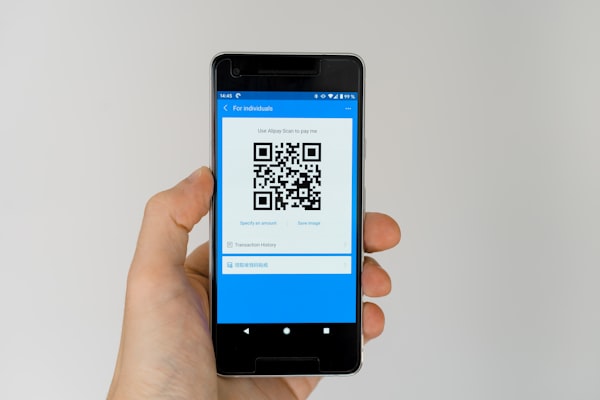
Imagine a potential customer walking past your store, seeing your sign, and wanting more information. If they have to manually type a phone number, you might lose them. A phone QR code eliminates that friction - one scan and the number is dialed instantly.
What Is a Phone QR Code?
A phone QR code encodes a phone number in a standard QR pattern. When scanned, it triggers the device's dialer and pre-fills the number. The user just needs to tap the call button. No manual typing, no copy-paste - just instant connection.
Behind the scenes, the QR code stores the number using the tel: URI scheme. For example, tel:+14155551234 tells the phone to open the dialer with that number ready to call.
Why Use a Phone QR Code?
Phone QR codes remove the biggest barrier between a printed advertisement and a phone call: the effort of dialing. Here's why they work:
- Zero friction - scanning is faster than typing a 10-digit number
- Fewer errors - no misdialed digits from misreading a printed number
- Perfect for print - flyers, brochures, signs, and business cards become interactive
- Mobile-first - every smartphone has a built-in scanner, no app needed
- Trackable - pair with a dynamic QR code to see how many scans lead to calls
Best Use Cases
Phone QR codes shine in any scenario where you want to make it as easy as possible for someone to contact you:
- Real estate signs - "Call for info" with a scannable QR code on for-sale signs
- Business cards - replace printed numbers with a QR code for instant dialing
- Trade show booths - attendees scan to call your sales team on the spot
- Service vans - fleet vehicles with a "Call now" QR code on the side
- Doctor offices & clinics - patients scan to schedule appointments by phone
How to Generate a Phone QR Code
Creating a phone QR code with URSAQR takes less than a minute:
- Choose Phone type - open the URSAQR generator and select the Phone option
- Enter the number - type the full phone number including the country code (e.g., +1 555-123-4567)
- Customize the design - pick colors, add your logo, choose a template card
- Test the scan - scan the preview with your phone to make sure the dialer opens
- Download - save as PNG, JPG, or SVG and add it to your materials
International Number Formatting Tips
Getting the number format right is critical for phone QR codes to work across devices and countries:
- Always include a + sign -
+1for the US,+44for the UK,+81for Japan, etc. - Include the country code - even if your audience is local, visitors from other countries won't be able to call without it
- Avoid special characters - dashes and parentheses are usually fine, but stick to digits and the plus sign for maximum compatibility
- Test on multiple devices - iPhone and Android dialers handle numbers slightly differently
Conclusion
Phone QR codes turn static print materials into instant conversation starters. Whether you're a real estate agent, small business owner, or running a service team, a call QR code makes it effortless for customers to reach you.
Ready to create one? URSAQR is a free QR code generator - no sign-up required, and everything runs in your browser.