QR codes are everywhere - on parking meters, restaurant tables, parcel labels, and advertisements. But as their popularity has exploded, so has the number of scams targeting unsuspecting scanners. In this guide, we'll expose exactly how QR code scams work, walk through real-world attack examples, and give you a repeatable safety routine you can use every time you scan.
What Is Quishing? (QR Code Phishing Explained)
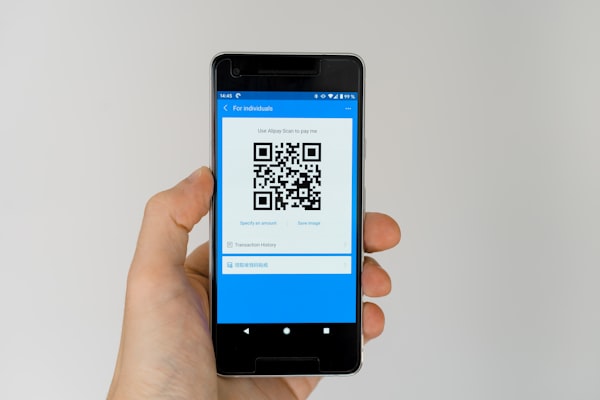
Quishing is a portmanteau of QR code and phishing. It describes an attack where a cybercriminal places a malicious QR code in a physical or digital location, tricking the victim into scanning it with their phone. Unlike traditional phishing delivered via email, quishing exploits the fact that a QR code is opaque - there is no way to tell where it leads just by looking at it.
The attack chain typically works like this: the victim scans a QR code, their phone reads the encoded URL, and the browser opens the destination page. That page may look identical to a legitimate login portal, payment form, or document download prompt. Any data the victim enters goes straight to the attacker.
What makes quishing particularly dangerous is that it bypasses most traditional security defenses. Email filters scan text for suspicious links, but they cannot read the contents of a QR code image. QR codes attached to emails or printed on flyers pass through detection systems untouched. According to the 2025 Threat Report from the Anti-Phishing Working Group, quishing accounted for nearly 12% of all phishing attacks in Q4 of 2025, up from under 2% two years prior.
Quishing attacks generally fall into two categories: tampering with physical QR codes (sticker swaps on parking meters, restaurant tables, EV chargers) and embedding malicious codes in emails, social media posts, or physical mail. The common thread is that the code's destination cannot be verified before scanning, which is why previewing the URL before opening it is so important.
Quishing attacks grew more than 400% between 2023 and 2025, making QR codes one of the fastest-growing attack vectors in cybersecurity.
The term entered mainstream cybersecurity vocabulary in early 2024, and by mid-2025 the FBI had issued a public warning about QR code scams targeting parking payment systems and EV charging stations. As we rely more on contactless interactions, staying aware of these risks is essential.
Real-World QR Code Scam Examples
Understanding common scam scenarios helps you recognize them before it's too late. Here are the most frequently reported QR code scams:
Parking meter sticker swaps. Scammers place fake QR code stickers over legitimate ones on parking meters. When scanned, these lead to fake payment pages designed to steal credit card details. Cities including Austin, London, and Sydney have reported these attacks.
Restaurant table swaps. Fake QR code stickers placed on restaurant tables direct diners to fraudulent payment pages instead of the digital menu. Restaurant staff are often unaware of the tampering.
Parcel delivery scams. Fake delivery notifications with QR codes arrive by email or as physical notes, claiming a package needs rescheduling. The code leads to a page asking for personal information or payment.
Fake payment and investment pages. QR codes on charging stations, parking kiosks, or social media can lead to pages that mimic legitimate payment portals or investment platforms. Always verify the URL before entering any information.
Fake Wi-Fi login portals. QR codes promising free Wi-Fi in public places may lead to login pages that capture your credentials. Only use trusted Wi-Fi networks and verify the URL before connecting.
These examples share a common pattern: the scam exploits trust. The victim is in a familiar context - paying for parking, ordering dinner, collecting a package - and the QR code blends in seamlessly. Recognizing these scenarios is the first step to avoiding them.
How to Spot a Tampered QR Code (Visual Checklist)
Tampered QR codes are often detectable if you know what to look for. Use this visual checklist before scanning any QR code in a public space.
Check for stickers placed over existing codes. The most common tampering method is a simple sticker overlay. Look closely at the edges of the QR code. Do you see multiple layers? Is the code printed on a separate sticker rather than directly on the surface? Gently run your fingernail along the edge - if it feels like a sticker, it may have been placed there by an attacker.
Look for misalignment or skewed printing. Scammers print their codes on consumer-grade printers, which often leaves telltale signs: blurry edges, uneven pixel alignment, off-center placement, or a slight rotation compared to other printed materials nearby. Compare the QR code to other printed elements in the environment. Does the print quality match the restaurant's menu or the parking meter's official signage?
Check for unusual color or paper texture. Official QR codes are usually printed on the same material as the surrounding signage. If the QR code is on glossy sticker paper while the parking meter is matte metal, that is a red flag. Scammers rarely invest in matching paper stock, and the difference is often visible under direct light.
Verify with an employee or official source. When in doubt, ask. If a restaurant table has a QR code, ask the staff if it is their official code. If a parking meter has a QR code, check whether the city's parking authority actually uses QR codes for payment. A quick verbal confirmation can prevent a costly mistake.
Look for the "QR code within a QR code" trick. Some sophisticated scams overlay a tiny malicious QR code inside the quiet zone of a legitimate code, or they print an entirely new code that happens to be the same size and shape as the original. If the code looks like it has been pasted or modified, do not scan it.
Examine the URL preview carefully. When you point your phone's camera at a QR code, most modern phones display a preview of the URL at the top of the screen before opening it. Read this URL carefully. Does it match the expected business domain? Does it contain unusual characters, misspellings (like "paypa1.com" instead of "paypal.com"), or an unfamiliar top-level domain? If anything looks off, do not tap the notification.
Trust your instincts. If something feels wrong about a QR code, it probably is. Scammers rely on people being in a hurry or distracted. Taking two extra seconds to visually inspect a code can save you from a compromised device or stolen identity.
What Happens When You Scan a Malicious Code?
When you scan a malicious QR code, the encoded URL opens in your browser. From there, the risk depends on what the page does. The most common danger is a phishing page that looks like a legitimate login or payment site, designed to steal your credentials or financial information.
QR codes can also trigger other actions on your phone, such as opening an email composer, dialing a number, or sending a text message. These actions happen only after you approve the prompt. Modern smartphones show a preview of the encoded data before taking any action, which is your primary safety mechanism.
Keeping your phone's operating system and browser up to date is the best way to protect against any exploit attempts. iOS and Android include strong built-in protections that prevent automatic installations from QR code scans.
If you suspect you have scanned a malicious code, change the passwords on any accounts you accessed afterward, and monitor your financial accounts for unusual activity.
How to Protect Yourself: The 5-Second Safety Scan
You do not need to be a cybersecurity expert to stay safe. This five-step routine takes less than five seconds and can prevent nearly every common QR code scam.
Step 1: Inspect the code visually (1 second). Look at the QR code before you scan it. Is it printed directly on the surface or is it a sticker? Is the quality consistent with the surrounding signage? If it looks like it could have been tampered with, do not scan it.
Step 2: Use your phone's built-in camera (0.5 seconds). Modern smartphones read QR codes natively through the camera app. Avoid downloading third-party QR scanners from app stores unless they come from reputable developers with strong privacy reviews. The built-in camera shows you a URL preview before opening the link, which is your most important safety mechanism.
Step 3: Read the URL preview (1.5 seconds). When your camera detects a QR code, it displays a banner or notification showing the destination URL. Read it. Look for typos, unusual domain names (like "rnicrosoft.com" instead of "microsoft.com"), unfamiliar TLDs (like ".xyz" or ".top" for a bank), or any URL that does not match the context. If you are scanning a code at a coffee shop, the link should lead to the coffee shop's website or menu, not a generic URL shortener.
Step 4: Verify before entering data (1 second). If you do tap through to the website, pause before entering any personal information. Did you expect to land on this page? Does the design look professional and consistent with the brand? Is the page using HTTPS? Check the address bar to confirm you are on the real domain, not a convincing lookalike.
Step 5: Trust your gut and have an exit plan (1 second). If something feels off at any point during steps 1 through 4, close the browser tab and walk away. No missed payment, delayed package, or forgotten menu is worth compromising your personal data. If you are unsure about a legitimate transaction, use an alternative method: pay with cash or a physical card, ask for a printed menu, or visit the official website directly by typing the URL yourself.
These five steps become automatic with practice. The most important habit to develop is reading the URL preview before tapping anything. It is the single most effective defense against QR code phishing attacks.
Are Dynamic QR Codes Safer Than Static Ones?
Dynamic QR codes are codes whose destination URL can be changed after the code has been printed. Static QR codes encode the URL directly into the pattern, meaning the destination is fixed forever. When it comes to safety, the answer is nuanced.
From a scanning perspective, there is no visual difference between a dynamic QR code and a static one. Both appear as a pattern of black and white modules. A dynamic code is not inherently safer for the person scanning it because the destination is still opaque until the scan is performed.
However, dynamic QR codes offer significant advantages for businesses and content creators who want to maintain control and security. If a dynamic QR code's destination page is compromised, the code's owner can update the redirect to point to a safe page instead. With a static code, there is no way to change the destination - the link is burned into the pattern permanently. If a static code's URL is hijacked or the destination domain expires, anyone scanning that code is at risk with no recourse.
Dynamic codes also provide scan analytics, which can help businesses detect unusual activity. If a code placed at a single restaurant table suddenly generates thousands of scans from a different country, that could indicate the code has been tampered with or copied. Static codes provide no such visibility.
For the individual scanner, the security properties of dynamic versus static codes do not change the core safety advice: always preview the URL before opening it. And for businesses, the recommendation is clear: use dynamic QR codes so you can monitor, update, or deactivate codes if they are compromised or tampered with.
Dynamic QR codes give businesses the ability to update destinations, monitor scans, and respond to threats. Static codes offer no such flexibility.
One important safety note: scammers have started using dynamic QR codes in their attacks because the redirect URL can be changed after the code is printed. A victim might scan a code that initially points to a harmless-looking site, only to have the redirect updated to a malicious URL days later. This makes "scan once, trust forever" a dangerous mindset.
Conclusion: Scan Smart, Stay Safe
QR codes are not dangerous. What makes them dangerous is the trust we place in them without verification. A QR code is simply a vehicle for data - it is where that data takes you that matters. The same technology that lets you view a restaurant menu contactlessly can be weaponized to steal your credit card number.
The rise of quishing and QR code scams is a direct response to the ubiquity of scanning in modern life. Attackers follow attention, and QR codes currently have plenty of it. But awareness is the antidote. By understanding how these scams work, recognizing the telltale signs of tampered codes, and adopting the 5-second safety scan as a habit, you can continue to use QR codes safely and confidently.
Remember the core principle: just because a QR code is there does not mean it is safe. Verify the source, inspect the code, check the URL preview, and stay cautious when entering personal information. The few extra seconds this takes are a small price to pay for the security of your identity and finances.
Stay safe out there, and scan smart.