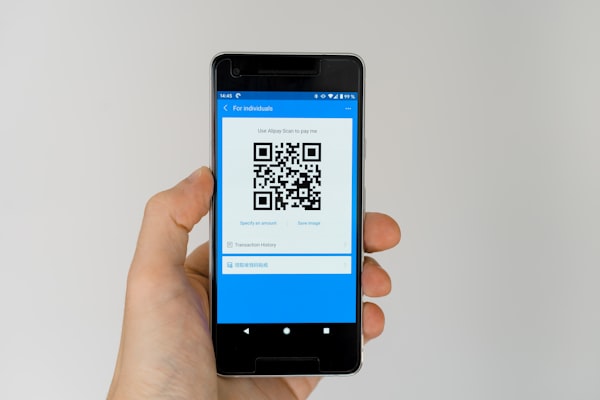
URL QR codes are the most widely used type of QR code in the world. Every time you see a square black-and-white pattern on a flyer, product label, or restaurant table that takes you to a website when scanned, you are interacting with a URL QR code. Their simplicity and effectiveness have made them an essential tool for marketers, businesses, and everyday users.
In this guide we will explain what a URL QR code is, explore its many benefits, walk through real-world use cases, and show you exactly how to generate your own link QR code in just a few clicks.
What Is a URL QR Code?
A URL QR code is a QR code that encodes a web address (URL) in its pattern of black and white modules. When someone scans the code with their smartphone camera or a QR scanner app, the device decodes the embedded URL and prompts the browser to open that specific webpage. The process takes less than a second and requires no manual typing.
Unlike plain-text QR codes that display a message on screen, URL QR codes trigger an immediate action - a browser redirect. This makes them ideal for directing traffic to landing pages, product pages, app download links, social media profiles, or any other destination on the web.
URL QR codes can be either static or dynamic. A static URL QR code has the web address directly embedded in the pattern and cannot be changed later. A dynamic URL QR code stores a short redirect URL, allowing you to swap the destination at any time without reprinting the code. Dynamic codes also provide scan analytics, giving you insight into how many people scanned your code, when, and from where.
The difference is important for businesses running campaigns where the destination link may need updating or where performance tracking matters. We cover both types in depth later in this article.
Why Use a URL QR Code?
URL QR codes bridge the gap between offline and online experiences instantly. Instead of asking someone to type a long web address into their browser, they simply point their camera at the code and tap the notification that appears. This frictionless interaction drives higher engagement rates than any other offline-to-online method.
One of the biggest advantages of URL QR codes is the elimination of typos. A printed URL like "https://example.com/summer-sale-2026/registration" is nearly impossible to type accurately from a flyer or billboard. QR codes remove this barrier entirely, ensuring every scan leads exactly where you intend.
URL QR codes work with every modern smartphone. Both iOS and Android have native QR scanning built directly into the camera app - no third-party app required. This universal compatibility means your audience is always equipped to scan, regardless of their device or technical ability.
Dynamic URL QR codes add another layer of value through scan analytics. You can track total scans, unique scans, scan times, device types, and geographic locations. This data helps you measure campaign performance, optimize your marketing spend, and understand your audience better.
Finally, URL QR codes are cost-effective. Static QR codes are free to generate and last forever. Dynamic QR codes require a service but remain far cheaper than traditional methods of traffic attribution like custom short links or UTM parameters on printed materials.
Common Use Cases
URL QR codes have infiltrated nearly every industry because of their versatility and ease of use. Restaurants were early adopters, placing QR codes on tables and menus so diners could view the menu, order food, or pay the bill from their own phones. This practice became standard during the pandemic and remains popular for its convenience and contactless nature.
Product packaging is another dominant use case. Brands print URL QR codes on boxes and labels to link customers to product videos, assembly instructions, warranty registration pages, or sustainability information. A single code on a package can replace an entire booklet of printed materials.
Event registration and ticketing rely heavily on URL QR codes. Organizers embed ticket purchase links in QR codes on posters, social media posts, and email campaigns. Attendees scan and register in seconds. At the event, QR codes on digital or printed tickets grant entry, making the entire lifecycle paperless.
App store links are a classic application. Instead of asking users to search for an app manually, a URL QR code points directly to the Apple App Store or Google Play Store listing. This is especially effective in cross-channel marketing where the user encounters the code on a billboard, print ad, or TV commercial.
Social media profiles use URL QR codes to grow followers. A QR code on a business card, email signature, or storefront window links directly to an Instagram, LinkedIn, TikTok, or YouTube profile. The user scans once and follows with one tap - no searching required.
Real estate is a surprisingly active sector for URL QR codes. "For Sale" signs now include QR codes that link to virtual tours, photo galleries, mortgage calculators, or scheduling pages for open houses. Prospective buyers can access detailed property information without waiting for an agent to call back.
How to Generate a URL QR Code
Generating a URL QR code is simple and takes less than a minute. Start by opening a QR code generator like URSAQR. You do not need to create an account, install software, or pay anything - the generator runs entirely in your browser.
Choose the URL type from the list of QR options. Paste the full web address you want to encode into the URL field. Make sure the link includes https:// - not only is it required for modern browsers, but HTTPS also ensures a secure connection for everyone who scans your code.
Next, customize the visual design of your QR code. You can change the foreground and background colors, add rounded corners, embed your logo in the center, and choose from different pattern styles. A well-designed QR code that matches your brand identity gets more scans because it looks trustworthy and professional.
Before you finalize, test the QR code by scanning it with your smartphone camera. Make sure the link opens correctly and the landing page loads properly on mobile devices. It is easy to forget a character in the URL, so testing prevents embarrassing errors after the code is printed.
Once you are satisfied, download your QR code in PNG or SVG format. PNG is best for digital use and social media. SVG is ideal for print because it scales to any size without losing quality. You can also export with a transparent background if you plan to overlay the code on a colored surface.
If you need to update the destination link later or track scans, choose a dynamic QR code during generation. Dynamic QR codes require a short account setup but give you the flexibility to change the URL and view analytics at any time.
Static vs Dynamic URL QR Codes
Choosing between a static and a dynamic URL QR code depends entirely on your use case. Both serve the same basic function - opening a web page when scanned - but they differ fundamentally in flexibility, trackability, and long-term maintenance.
A static URL QR code has the destination address permanently baked into the pattern. You cannot change the URL after the code is generated. If the link breaks or you want to redirect to a different page, you must create a new code and reprint it. Static codes are completely free, require no ongoing service, and work offline forever. They are best for permanent links that will never change, such as a link to a company homepage or an evergreen resource page.
A dynamic URL QR code stores a short redirect URL instead of the final destination. When scanned, the code sends the user to a short link, which then forwards them to the actual target. This indirection lets you change the destination at any time without altering the printed QR code. You can update the link for seasonal campaigns, A/B test landing pages, or fix a broken URL without reprinting thousands of codes.
Dynamic QR codes also provide rich analytics. You can see total scans over time, scan trends by hour or day, device breakdowns (iOS vs Android), operating system versions, and geographic locations. This data is invaluable for measuring the ROI of offline marketing campaigns.
The trade-off is that dynamic QR codes require an active service - the generator must maintain the redirect infrastructure. Most services, including URSAQR, offer dynamic QR codes with affordable plans. For business campaigns where link changes or analytics matter, dynamic codes are the clear winner. For personal projects or permanent references, static codes are perfectly sufficient.
Best Practices
Follow these best practices to ensure your URL QR codes are reliable, secure, and effective. The first and most important rule is to use short URLs. Long URLs create denser QR code patterns that are harder to scan, especially at small sizes. Use a URL shortener like Bitly or your own branded short domain before generating the code.
Always use HTTPS. Modern browsers display security warnings for HTTP links, and users are rightfully hesitant to scan codes that could lead to an insecure page. HTTPS also prevents attackers from tampering with the destination. If your website does not have HTTPS, get a free SSL certificate before creating URL QR codes.
Test every QR code before printing. Scan it with multiple devices - an iPhone, an Android phone, and a dedicated QR scanner app. Verify that the landing page renders correctly on mobile and that all buttons, forms, and links on the page work as expected. It only takes one broken link to waste an entire print run.
Use error correction when generating your QR code. Error correction adds redundant data that allows the code to be scanned even if it is partially damaged, dirty, or covered by a logo. Most QR code generators default to medium (M) error correction, which restores up to 15% of damaged data - this is sufficient for most uses.
Always include a call-to-action (CTA) near your QR code. A CTA tells people what to do and what they will get. Text like "Scan to view our menu" or "Scan to get 10% off" significantly increases scan rates compared to a QR code with no context. Place the CTA directly above or beside the code in a clear, readable font.
Mind the quiet zone - the empty margin around the QR code. Keep at least four modules of clear space on all sides of the code. Placing text or graphics inside the quiet zone can interfere with scanning. If you are printing on a busy background, add a white or light-colored square behind the QR code to maintain contrast.
Finally, consider the size and placement of your QR code. A QR code should be at least 2 cm (0.8 inches) square for print, and larger if viewed from a distance. A code on a billboard needs to be much larger than one on a business card. A good rule of thumb is that the scanning distance should be roughly equal to the width of the code multiplied by ten.
Conclusion
URL QR codes are the most practical and widely used type of QR code for good reason. They instantly connect physical touchpoints to digital destinations, eliminating friction and driving measurable engagement. Whether you need to share a restaurant menu, promote a product launch, grow your social media following, or simplify event registration, a URL QR code is the simplest solution.
The key decisions are choosing between static and dynamic codes, designing your code for scannability and brand consistency, and following best practices around HTTPS, error correction, and CTAs. With the right approach, a single QR code can drive traffic for years with zero ongoing cost.
Ready to create your own? Use URSAQR's free QR code generator to generate a URL QR code in seconds - no sign-up, no downloads, just instant results. For advanced needs like trackable links and editable destinations, explore our dynamic QR code options.