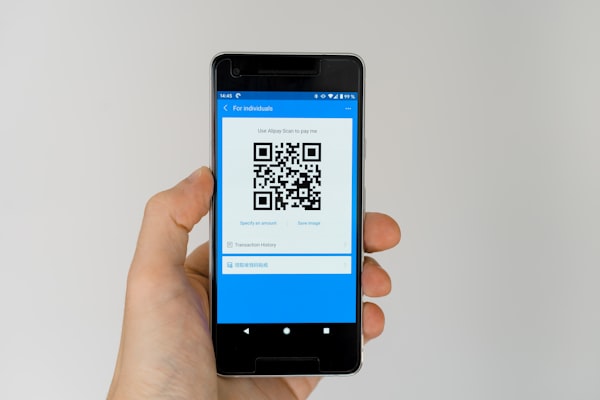
Walk into any supermarket or warehouse and you will see both QR codes and barcodes on products, packages, and labels. At first glance they look similar - black patterns on a white background - but these two technologies serve very different purposes. Understanding the difference between QR code and barcode technologies is essential for businesses deciding which to use for inventory, marketing, payments, or customer engagement.
In this guide, we break down barcode vs QR code across every important dimension: data capacity, scanning direction, error correction, design, cost, and real-world use cases. By the end, you will know exactly when to reach for each one.
What Is a Barcode?
A barcode is a machine-readable optical label that encodes data in a series of parallel black bars and white spaces of varying widths. The original barcode was patented in 1952, but it was not until 1974 that the first commercial product - a pack of Wrigley's chewing gum - was scanned using a Universal Product Code (UPC) barcode at a Marsh supermarket in Ohio. That single scan marked the beginning of the modern retail automation era.
Barcodes are one-dimensional (1D) codes. The scanner reads the widths and spacing of the bars in a single horizontal line from left to right. The vertical bars add redundancy (making the code easier to scan), but they do not carry additional data. Typical barcode formats include UPC, EAN, Code 128, and Code 39.
Barcodes are used primarily in retail point-of-sale (POS) systems, warehouse inventory management, shipping labels, and ISBN numbers on books. Their simplicity, low cost, and universal adoption make them the backbone of global supply chains.
What Is a QR Code?
A QR code (Quick Response code) is a two-dimensional (2D) matrix barcode invented in 1994 by Masahiro Hara at Denso Wave in Japan. Unlike barcodes, QR codes store data both horizontally and vertically in a grid of black and white squares (modules). This two-dimensional structure gives QR codes a massive data advantage.
QR codes can encode URLs, text, contact information (vCard), Wi-Fi credentials, email addresses, phone numbers, SMS messages, and more. They are widely used in marketing, contactless payments, restaurant menus, ticketing, business cards, and product packaging. When you use any free QR code generator like URSAQR, the tool encodes your chosen data into a scannable QR code image that any smartphone camera can read.
The name "Quick Response" reflects the original design goal: decoding speed. QR codes were engineered to be scanned up to 20 times faster than barcodes, which was critical for tracking automotive parts on a fast-moving assembly line.
Key Differences Between QR Codes and Barcodes
While both technologies encode data optically, they differ in nearly every technical and practical aspect. Here are the four most important dimensions of the QR code vs barcode comparison.
Data Capacity
The single biggest difference between QR code and barcode technologies is how much data they can hold. A standard barcode encodes roughly 20 to 100 characters. A UPC-A barcode, for example, holds exactly 12 numeric digits. This is sufficient for product identification but little else.
A QR code, by contrast, can store up to 7,089 numeric characters or 2,953 alphanumeric characters. It can also store binary data (up to 1,817 bytes) and Kanji/Kana characters (up to 1,817). This means a single QR code can hold an entire paragraph of text, a URL, a digital business card, or even a small image. The difference between QR code and barcode data capacity is so vast that QR codes are effectively a different category of tool.
Scanning Direction
Barcodes rely on a laser scanning a single horizontal line. The scanner must be aligned roughly parallel to the bars, and the code must be relatively flat and unobstructed. If the barcode is rotated, wrinkled, or at an awkward angle, the scanner may fail to read it.
QR codes solve this limitation with three position markers (the large squares at three corners). These markers allow a scanner to detect the code's orientation from any angle and decode it even when rotated up to 360 degrees. This makes QR codes far more forgiving in real-world conditions - on curved surfaces, glossy packaging, or in low light. Whether you use a dedicated QR scanner online or your phone's native camera, the scanning experience is near-instant from virtually any angle.
Error Correction
One of the most overlooked differences in the barcode vs QR code debate is error correction. Barcodes have no built-in error correction. If a barcode is scratched, smudged, or partially covered, it becomes unreadable. This is a significant weakness in environments where labels get dirty or damaged.
QR codes include Reed-Solomon error correction, allowing the scanner to reconstruct the data even if up to 30% of the code is damaged or obscured. QR codes offer four error correction levels:
- L (Low) - Recovers up to 7% damage
- M (Medium) - Recovers up to 15% damage
- Q (Quartile) - Recovers up to 25% damage
- H (High) - Recovers up to 30% damage
This resilience makes QR codes far more reliable in harsh environments like factory floors, outdoor signage, and shipping labels where damage is inevitable.
Design Flexibility
Barcodes are rigid. The pattern must be a specific arrangement of black bars on a white background with a defined quiet zone. There is little room for branding or aesthetic customization. You cannot add a logo, change colors meaningfully, or alter the bar proportions without breaking scannability.
QR codes offer remarkable design flexibility. Because the error correction modules provide redundancy, you can:
- Add a logo or icon in the center (usually covering 15-25% of the code area)
- Change the color scheme of the modules to match brand guidelines
- Apply gradients and rounded corners to individual modules
- Embed the code into a larger visual design or illustration
- Use shapes beyond the standard square modules with some advanced generators
With a tool like URSAQR's free QR code generator, you can create custom-branded QR codes that look professional and on-brand without sacrificing scannability.
QR Code vs Barcode: Quick Comparison Table
| Feature | Barcode (1D) | QR Code (2D) |
|---|---|---|
| Data Capacity | 20-100 characters | Up to 7,089 characters |
| Scanning | 1 direction (horizontal line) | 360° via position markers |
| Error Correction | None - damaged = unreadable | Up to 30% damage recovery |
| Design | Fixed black bars, minimal styling | Colors, logos, gradients, shapes |
| Readability | Requires laser scanner, flat surface | Smartphone camera, curved/angled OK |
| Cost | Very low per label | Free to generate, same print cost |
| Best For | Retail, inventory, ISBN | Marketing, payments, WiFi, menus |
When to Use Barcode vs QR Code
Choosing between barcode vs QR code comes down to your use case. Here are clear guidelines for each scenario.
Use Barcodes When
- Retail and point-of-sale (POS) - Barcodes are the global standard for product checkout. Every scanner in every store already reads UPC and EAN barcodes.
- Inventory tracking - Warehouses and supply chains rely on barcode labels for speed and simplicity. Barcode scanners are ubiquitous and inexpensive.
- ISBN and catalog numbers - Books, magazines, and library materials use barcodes as a universal identifier.
- Asset management - Fixed-asset tags in offices, hospitals, and schools typically use barcodes because they need only a short, unique identifier.
- Simple identification - When you only need to store a numeric ID or SKU, a barcode is the most cost-effective solution.
Use QR Codes When
- Marketing and advertising - QR codes link print materials directly to websites, landing pages, videos, and promotions. Track scans, locations, and devices with dynamic QR codes.
- Digital payments - UPI, PayPal, and cryptocurrency wallets use QR codes to share payment addresses instantly.
- WiFi sharing - A single QR code can store network credentials so guests connect without typing a password.
- Restaurant menus - Contactless menus accessed via QR codes became standard during the pandemic and remain popular for easy updates.
- URLs and digital content - Any time you need to send someone to a webpage, download a file, or open an app, a QR code is the fastest bridge.
- Digital business cards - vCard QR codes let someone save your contact details with a single scan.
- Event ticketing - QR codes on tickets allow fast, contactless entry verification at concerts, airports, and conferences.
- Product packaging with extras - Add tutorials, recipes, warranty registration, or promotional content behind a QR code on your product label.
Many businesses now use both technologies together. A product label might carry a barcode for the checkout scanner and a QR code that links to a user manual or video. This hybrid approach gives you the best of both worlds.
Conclusion
The difference between QR code and barcode technologies is not about which one is "better" - it is about which one fits your specific need. Barcodes are simple, cheap, and universally supported in retail and logistics for identifying items with short numeric codes. QR codes are far more powerful in terms of data capacity, error resilience, scanning flexibility, and design customization.
If you need to track inventory at a checkout counter, a barcode is the right tool. If you need to send someone to a website, share digital content, enable payments, or build a brand experience, a QR code is the better choice.
Ready to create your own QR codes? URSAQR is a free QR code generator with no sign-up required. You can customize colors, add logos, and generate high-resolution QR codes in seconds - right in your browser, for free.