The Rise of QR Code Menus
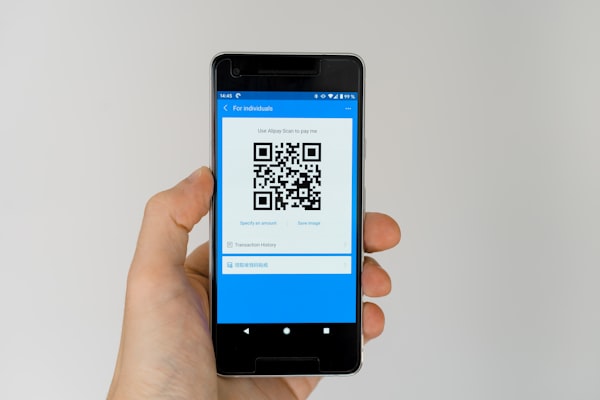
Before 2020, QR code menus were a novelty found mostly in tech-forward restaurants in Tokyo and Seoul. When the COVID-19 pandemic hit, restaurants worldwide needed contactless solutions practically overnight, and the humble QR code became a lifeline.
What started as a temporary health measure has become a permanent fixture in the hospitality industry. In 2026, QR code menus are no longer just a backup for paper menus - they are often the primary menu. According to industry surveys, over 65% of full-service restaurants in North America and Europe now offer digital menus accessible by QR code.
The early days of QR menus were rough. Many restaurants simply linked to a PDF of their printed menu, which was nearly impossible to read on a phone. Patrons had to pinch and zoom to see tiny text. Today's best QR menus are purpose-built mobile web pages with photos, descriptions, dietary icons, and even ordering capabilities built in.
Several converging trends have accelerated adoption. The rise of contactless payments normalized the idea of touching your own device to purchase. Smartphone cameras began including native QR scanners in 2017 with iOS 11 and Android 9, removing the barrier of needing a separate scanning app. And cloud-based POS systems like Toast and Square made it cheap to connect digital menus to the kitchen.
The shift from PDF menus to dedicated ordering pages happened quickly. A PDF was fine for a temporary workaround, but restaurateurs quickly realized that a web-based menu could do much more. You could update prices in real time, add high-resolution photos of each dish, flag gluten-free and vegan items, and even let guests customize their order with modifiers.
QR menus also solved a long-standing pain point: menu printing costs. A typical restaurant spends between $300 and $1,500 every time it reprints menus after a price change, seasonal rotation, or supply shortage. With a QR menu, an update takes 30 seconds and costs nothing.
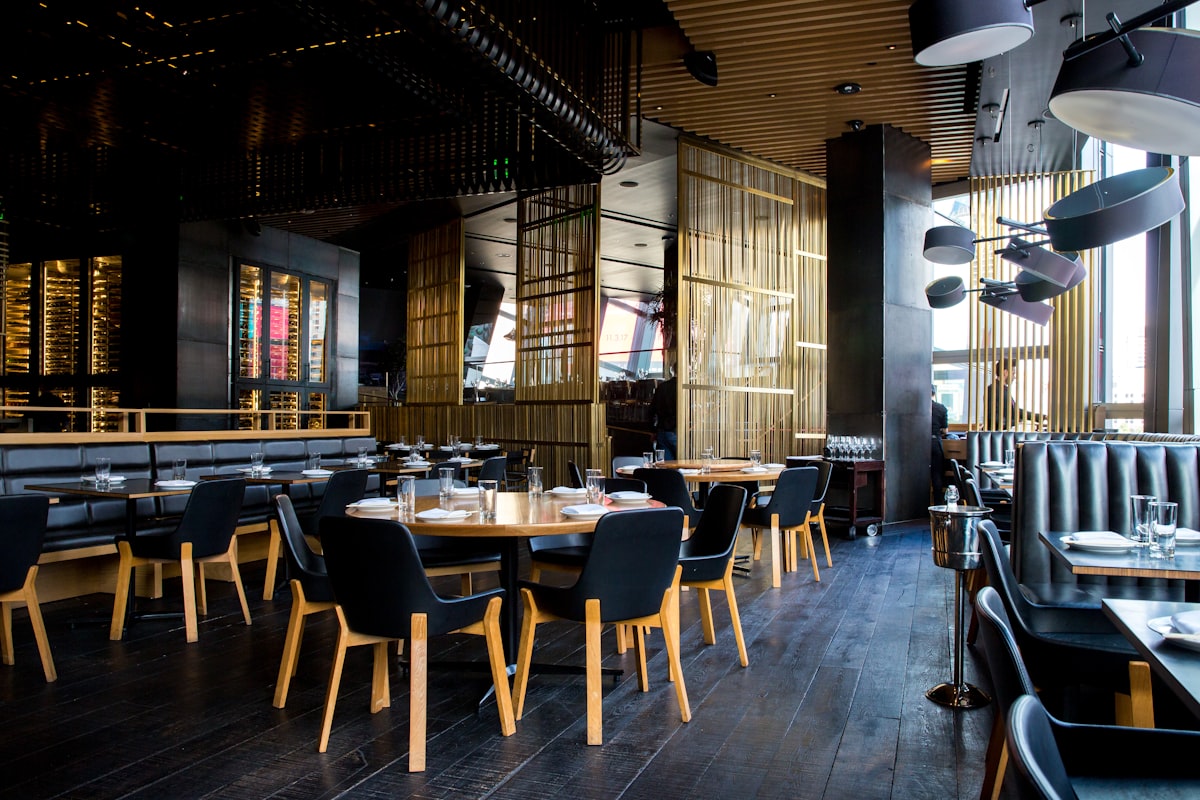
Today QR code menus are so common that diners often look for the QR tent card before the server arrives. The shift is not just about safety - it's about efficiency, data, and giving customers a better experience.
Benefits for Restaurant Owners
No reprinting costs. The most immediate financial benefit is eliminating menu printing. Whenever ingredient costs fluctuate, a dish sells out, or you launch a seasonal special, you update the digital menu in seconds. No waiting for the printer, no rush fees, no wasted inventory of old menus.
Instant menu updates. Your kitchen ran out of salmon? Remove the item from your digital menu in seconds. A new wine arrived? Add it with its tasting notes. You can update your menu as often as you like without logistical headaches.
Reduce staff workload. Servers spend less time reciting specials, answering questions about allergens, and explaining how dishes are prepared. All that information lives on the digital menu. Staff can focus on providing better service and turning tables faster.
Contactless and hygienic. Guests scan a QR code on their own phone rather than handling a menu that dozens of other people have touched. This is a strong selling point for health-conscious diners and remains relevant even after pandemic restrictions have ended.
Multilingual support. A single QR code can detect the user's device language and serve the menu in English, Spanish, French, Mandarin, or any language you offer. No need to print and store stacks of foreign-language menus that quickly go out of date.
Upsell opportunities. Digital menus let you strategically place high-margin items, wine pairings, add-ons, and desserts. You can highlight a chef's special with a photo and a compelling description, something a paper menu cannot do dynamically.
Actionable analytics. A dynamic QR code tells you how many scans your menu received, which items were viewed most, and even what time of day people browsed. This data helps you optimize your menu layout, pricing, and promotional timing. If a dish gets lots of views but few orders, it might need a better description or a price adjustment.
Benefits for Diners
No waiting for a menu. As soon as you sit down, you can scan the QR code on the table and start browsing. No need to flag down a server or wait for them to finish with another table. For guests in a hurry, this is a huge convenience.
Browse on your own phone. Your phone is already in your hand, and you are comfortable with its screen, brightness, and font size. No squinting at a dimly lit paper menu or fumbling for reading glasses.
See high-quality photos. A digital menu can show a professional photo of every dish - not just the few featured items that make it onto a printed menu. Seeing what a dish actually looks like helps guests make confident decisions and often leads to higher check averages.
Dietary filters. Guests with dietary restrictions can filter the menu to show only gluten-free, vegan, vegetarian, nut-free, or dairy-free options. Instead of asking the server a dozen questions, they can quickly see what is safe to eat. This is especially valuable for guests with celiac disease or severe allergies.
Allergen information. A well-built QR menu lists common allergens next to each item. This transparency builds trust and reduces the risk of allergic reactions. For parents dining with children who have food allergies, this feature alone can determine whether they choose your restaurant.
Easy-to-read text. Digital menus let users pinch-to-zoom, adjust brightness, or use their phone's accessibility features. Unlike a paper menu printed in 8-point font, a QR menu gives everyone the ability to read comfortably.
No pressure. Diners can take their time browsing the menu without feeling rushed while the server stands by the table. They can discuss options, look up reviews of a dish, and decide at their own pace.
Types of QR Menu Setups
Simple PDF menu. This is the cheapest and quickest option. Upload your existing menu PDF to your website or a cloud drive, generate a QR code that links to it, and print the code on a tent card. The downside is that PDFs are not responsive - guests will need to pinch and zoom on their phones. Best for restaurants on a tight budget or as a temporary solution.
URL menu on a webpage. The most popular option. You create a mobile-optimized web page for your menu with photos, descriptions, prices, dietary icons, and sections. A QR code (URL type) takes guests directly to that page. This setup gives you full control over design and content. Updates are instant, and you can add analytics tracking. This is the sweet spot for most independent restaurants.
Full digital ordering + payment. Platforms like Toast, Square Online, and Olo let diners scan a QR code, browse the menu, place an order, and pay without interacting with staff. The order goes directly to the kitchen display system. This is common in fast-casual restaurants and increasingly in full-service concepts. It reduces labor costs and speeds up table turnover.
Table-side ordering with mobile POS. In this model, servers carry a tablet or the guest scans a QR code to browse the menu, but a server still takes the order and processes payment. This hybrid approach preserves the hospitality of a full-service experience while giving guests the convenience of a digital menu. Many high-end restaurants use this for their wine list while keeping paper food menus.
Which one is right for you? If you are just getting started, a simple URL-based menu page with a static QR code is the fastest path. As your needs grow, you can upgrade to a dynamic QR code for analytics and eventually integrate with a full online ordering platform.
How to Set Up a QR Code Menu for Your Restaurant
Step 1: Create your menu page or PDF. Write out your menu with clear categories, prices, descriptions, and dietary markers. If you are building a web page, design it mobile-first with large text, high-contrast colors, and thumb-friendly touch targets. Include photos for your most popular and most profitable dishes.
Step 2: Generate a QR code. Use a free QR code generator like URSAQR to create a URL-type QR code that points to your menu page or PDF. No sign-up is needed, and the code never expires if you use a static QR code. If you want analytics, use a dynamic QR code so you can track scans.
Step 3: Choose your placement. The most common spot is a tent card on each table. You can also print the QR code on window decals, door signs, counter displays, and even staff uniforms. Place a QR code at the entrance so waiting guests can browse the menu before they sit down. For fast-casual setups, put the code at the front counter so customers can order ahead.
Step 4: Test the scan at every table. Before opening, sit at every seat at every table and scan the QR code. Check that the link works, the page loads quickly, text is readable, and buttons are tappable. Test on both iOS and Android devices. Cell reception can vary by table location, so test in every zone of your restaurant.
Step 5: Train your staff. Your team should know how to scan the QR code, what the menu looks like, how to navigate it, and how to answer guest questions. Train them to greet guests and say, "You can scan the code on the table to view our menu. Let me know if you have any questions." If a guest seems confused, staff should be ready to help them scan or bring a paper menu.
Pro tip: Use a dynamic QR code from the start so you can change the destination later if you redesign your menu page or switch to an ordering platform. You will not need to reprint your tent cards.
Best Practices
Place QR codes at eye level on the table. A tent card should be visible as soon as a guest sits down. Avoid placing the code on the edge of the table where it is easy to miss. Use a sturdy card holder that does not tip over when someone reaches for a napkin.
Include a short CTA. Do not just print the QR code with no explanation. Add a short call-to-action like "Scan to view menu" or "See our full menu with photos." This tells guests exactly what to do and why they should do it. A good CTA increases scan rates by 30% or more.
Ensure your menu page is mobile-optimized. This cannot be overstated. Test your menu page on a phone screen, not a laptop. Fonts should be at least 16px. Buttons should be at least 48px tall. No horizontal scrolling. Sections should collapse for quick navigation. If your menu is hard to use on a phone, guests will ask for a paper menu instead.
Offer WiFi for spotty cell service. Many restaurants have poor cellular reception, especially in basement-level or interior dining rooms. Provide free WiFi and display the network name and password on the same tent card as the QR code. Some digital menus work offline if the page was cached on first load, but WiFi is still the most reliable solution.
Keep a few paper menus for non-smartphone guests. Not everyone carries a smartphone, and some guests simply prefer a printed menu. Have a small stack of paper menus available on request. This inclusive approach ensures no guest feels left out or frustrated.
Update your menu regularly. A QR menu that shows outdated information erodes trust. If a dish is no longer available, remove it from the digital menu. If prices change, update them immediately. Keep seasonal items current. A stale menu reflects poorly on the overall dining experience.
Use high-quality photos. Blurry, poorly lit photos can make even the best dishes look unappetizing. Invest in professional food photography or use a modern phone with good lighting. Consistent photo style across all dishes creates a polished, trustworthy menu.
Real-World Examples
Fast-casual: Chipotle's digital pickup line. Chipotle was an early pioneer of QR ordering. Guests scan a QR code at the restaurant, order and pay on their phone, and pick up their food from a dedicated digital make line. This model has become the standard for fast-casual chains. It reduces wait times, increases order accuracy, and lets customers skip the line entirely.
Fine dining: QR wine lists. High-end restaurants have embraced QR codes for their wine lists, which are notoriously expensive to print and update. A digital wine list can include vintage notes, tasting descriptions, food pairing suggestions, and sommelier ratings. Some venues use dynamic QR codes that change the wine list based on the day or even the guest's reservation profile.
Bars: QR drink menus for happy hour. Bars and pubs use QR codes to display rotating happy hour specials. A bar might update its QR menu every day at 4 PM with new drink specials. Some use animated GIFs or short videos to showcase signature cocktails. QR codes on bar counters and bathroom mirrors are common placement strategies.
Coffee shops: loyalty + menu in one. Specialty coffee shops combine their menu with a loyalty program behind a single QR code. A guest scans the code, sees the espresso and pastry menu, and can sign up for a digital punch card or mobile rewards. This reduces counter clutter and gives the coffee shop a direct marketing channel to customers.
Food trucks: QR at the window. Food trucks use QR codes placed on the side of the truck so customers can browse the menu while waiting in line. By the time they reach the window, they are ready to order. This speeds up service and reduces frustration for customers who are unsure what to order.
Conclusion
QR code menus are here to stay. They have evolved from a pandemic-era workaround into a core part of the modern restaurant experience. For owners, they save money, reduce labor, provide data, and offer flexibility that paper menus cannot match. For diners, they provide convenience, accessibility, and peace of mind around dietary needs.
The best part is that getting started costs nothing. With a free QR code generator like URSAQR, you can create a QR code for your menu in under a minute. Pair it with a mobile-optimized menu page, and you have a setup that competes with restaurants using thousand-dollar ordering platforms.
Whether you run a fast-casual lunch spot, a fine dining establishment, or a food truck, QR menus can improve your operations and your guests' experience. The technology is free, the benefits are immediate, and your customers are already looking for that little black-and-white square on the table.