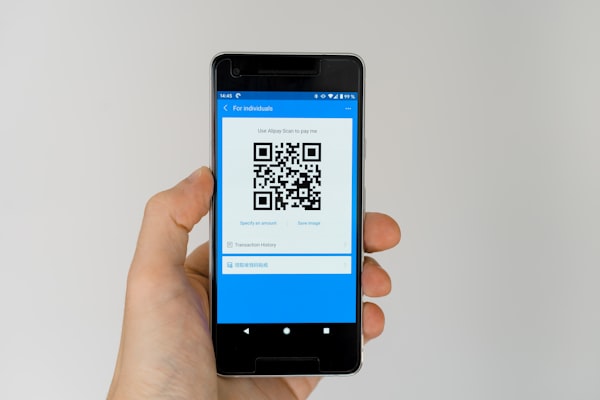
QR codes are everywhere - on product packaging, restaurant menus, business cards, and billboards. But have you ever stopped to wonder: how much data can a QR code store?
The answer depends on several factors, including the QR code version (its physical size), the error correction level, and the type of data you want to encode. At maximum, a single QR code can store up to 7,089 numeric characters or 2,953 bytes of binary data. That's enough to hold a small text document, a vCard with full contact details, or a complex Wi-Fi configuration.
In this guide, we'll break down every factor that affects QR code capacity, walk through the full version table from 1 through 40, and show you real-world examples so you can decide exactly which QR code settings are right for your use case.
QR Code Maximum Data Capacity
Let's start with the headline numbers. The maximum data capacity of a QR code varies by the type of data being encoded. Different data types use different encoding modes, each with its own efficiency:
- Numeric - digits 0-9 only. Maximum capacity: 7,089 characters
- Alphanumeric - digits, uppercase letters, and a few special symbols ($%*+-./: and space). Maximum capacity: 4,296 characters
- Binary / Byte - any 8-bit byte (including UTF-8 text, images, or files). Maximum capacity: 2,953 bytes
- Kanji - double-byte characters for Japanese text (Shift JIS). Maximum capacity: 1,817 characters
These numbers assume you are using the largest QR code version (Version 40) with the lowest error correction level (Level L). Choosing a smaller version, higher error correction, or a less efficient encoding mode will reduce the available capacity.
The differences between modes exist because the QR code specification assigns each character a fixed number of bits. Numeric mode packs three digits into 10 bits (very efficient), while binary mode uses 8 bits per byte. This is why numeric mode stores nearly two and a half times as many characters as binary mode.
Factors That Affect QR Code Capacity
The maximum capacity numbers above are theoretical upper bounds. In practice, three main factors determine how much data your QR code can actually hold:
QR Code Version (Size)
A QR code's version determines the size of its module grid. Version 1 is a tiny 21x21 grid, while Version 40 is a massive 177x177 grid. Each step up adds 4 modules to each side, progressively increasing the number of available data modules.
The grid size progression is simple: Version n has (17 + 4n) modules per side. So Version 1 is 21x21, Version 2 is 25x25, Version 10 is 57x57, and Version 40 is 177x177. More modules means more room for data - but also a physically larger and denser code that may be harder to scan at small print sizes.
Most QR codes you encounter in the wild use versions between 1 and 10. A URL, for example, rarely needs more than a Version 2 or 3 code. Larger versions are reserved for data-heavy applications like embedded vCards, Wi-Fi credentials combined with text, or bulk product information.
Error Correction Level
QR codes include built-in error correction using Reed-Solomon codes. This allows a damaged or partially obscured QR code to still be scanned successfully. There are four error correction levels, each offering a different trade-off between resilience and data capacity:
- Level L (Low) - Recovers up to 7% of damaged data. This gives the highest data capacity and is suitable for clean environments where the code won't get dirty or damaged.
- Level M (Medium) - Recovers up to 15%. A good balance for most general-purpose applications.
- Level Q (Quartile) - Recovers up to 25%. Used when the code may be partially obscured or printed on challenging surfaces.
- Level H (High) - Recovers up to 30%. The highest resilience. Often used in industrial settings, on curved surfaces, or where logo overlays need to cover part of the code.
The more error correction you add, the fewer data modules remain for your actual content. Switching from Level L to Level H typically reduces data capacity by roughly 40-50%. If you are creating a QR code with URSAQR, you can choose the error correction level that best matches your environment and data needs.
Data Type (Character Set)
The type of data you encode matters because QR codes use different encoding modes optimized for different character sets. Numeric mode is the most space-efficient because it packs three digits into just 10 bits. Alphanumeric mode is next, encoding two characters into 11 bits.
Binary mode, which handles any byte value, uses 8 bits per character and is the least space-efficient for text but necessary for non-text data like encrypted payloads or UTF-8 text that includes special characters. Kanji mode is a special case optimized for Japanese characters, encoding each kanji as 13 bits.
In practice, most QR code generators automatically detect the optimal encoding mode based on your input. If you are encoding a URL with mostly lowercase letters and symbols, the generator will use binary mode. If you are encoding a phone number (all digits), it will use numeric mode, maximizing the available capacity.
QR Code Versions 1-40: Capacity Overview
The table below shows a selection of QR code versions and their maximum data capacities at error correction Level L (most capacity). Capacities are shown for numeric, alphanumeric, and binary data modes. Note that as version increases, the grid grows larger and capacity rises substantially.
| Version | Grid Size | Numeric | Alphanumeric | Binary (bytes) |
|---|---|---|---|---|
| 1 | 21x21 | 41 | 25 | 17 |
| 5 | 37x37 | 259 | 157 | 106 |
| 10 | 57x57 | 652 | 395 | 271 |
| 15 | 77x77 | 1,230 | 745 | 513 |
| 20 | 97x97 | 1,999 | 1,211 | 835 |
| 25 | 117x117 | 3,173 | 1,922 | 1,326 |
| 30 | 137x137 | 4,546 | 2,752 | 1,906 |
| 35 | 157x157 | 5,859 | 3,547 | 2,459 |
| 40 | 177x177 | 7,089 | 4,296 | 2,953 |
As the table shows, capacity grows dramatically as version increases. A Version 40 QR code holds over 170 times more numeric data than a Version 1 code. However, larger versions come with trade-offs: the code becomes visually dense, requires more precise printing, and needs a larger quiet zone to scan reliably.
Real-World Examples of QR Code Data
To make these numbers concrete, here are common real-world data payloads and the approximate QR code version they would require at error correction Level M:
- URL (30-200 characters) - A typical website link like
https://example.com/pageuses about 30 characters. Even a long URL with UTM parameters rarely exceeds 200 characters. A Version 2 QR code (25x25) can easily hold this at Level M, producing a small, clean code that scans instantly. This is the most common use case for QR codes today. - Wi-Fi configuration (~200 characters) - A Wi-Fi QR code includes the SSID, password, encryption type, and occasionally hidden network flags. This typically comes in around 150-250 characters. A Version 3 or 4 code handles it comfortably with medium error correction.
- vCard contact card (~500 characters) - A digital business card with a name, phone number, email, company, address, and website usually lands between 300 and 700 characters. A Version 5 or 6 QR code can store it at Level M, or you can use Level L to keep the version smaller.
- Plain text document (1,000-3,000 characters) - Short articles, product descriptions, or instructions can be encoded directly into a QR code. A 1,500-character document requires roughly a Version 10 code at Level M. This is approaching the upper practical limit for most print applications because the code density starts to affect scan reliability.
- Encrypted payload (binary, ~2,000 bytes) - For security tokens, encrypted keys, or binary blobs, Version 30-40 codes are often necessary. At this scale, print quality and scanner capability become critical.
If you are using URSAQR's free QR code generator, the tool automatically selects the smallest version that can hold your data at your chosen error correction level. You don't need to calculate these numbers manually - but understanding them helps you make smarter decisions about what to encode and how to design your QR code for reliable scanning.
QR Code Size vs Data Density
There is an important trade-off to understand: more data means a denser QR code, and a denser QR code is harder to scan. A Version 1 code at Level H might have large, widely spaced modules that any camera can read effortlessly. A Version 40 code at Level L packs thousands of tiny modules into a dense grid that requires high print quality and a good camera to resolve.
In practice, the physical size at which you print the QR code matters just as much as the version. A Version 10 code printed at 10 cm x 10 cm will have larger, more readable modules than a Version 5 code printed at 2 cm x 2 cm. The rule of thumb is that the printed module size should be at least 0.5-1 mm for reliable scanning by typical smartphone cameras.
For most marketing and business applications, keeping your data payload small is the best strategy. A short URL in a small, low-density QR code scans faster, looks better on printed materials, and fails less often. If you need to encode more data, consider using a dynamic QR code (which stores only a short URL) instead of embedding the data directly. Dynamic QR codes also give you tracking analytics and the ability to change the destination later.
Ultimately, the question "how much data can a QR code store" has a technical answer (up to 7,089 numeric characters) and a practical answer: as little as possible while still conveying the information your users need.
Conclusion
QR codes are remarkably capable data carriers. A single QR code can store up to 7,089 numeric characters or 2,953 bytes of binary data, enough for everything from a short URL to a complete contact card or a short document. The exact capacity depends on three factors: the version (grid size), the error correction level, and the data type being encoded.
For most real-world use cases, you will never need to push the upper limits. A URL fits in a tiny Version 2 code, and even a detailed vCard or Wi-Fi configuration needs only a Version 5 or 6 code. When you do need extra capacity, remember that higher versions produce denser codes that require careful printing and good lighting to scan reliably.
Ready to create your own QR code? URSAQR is a free QR code generator - no sign-up required, everything runs in your browser, and you can customize colors, add logos, and choose your error correction level in seconds.