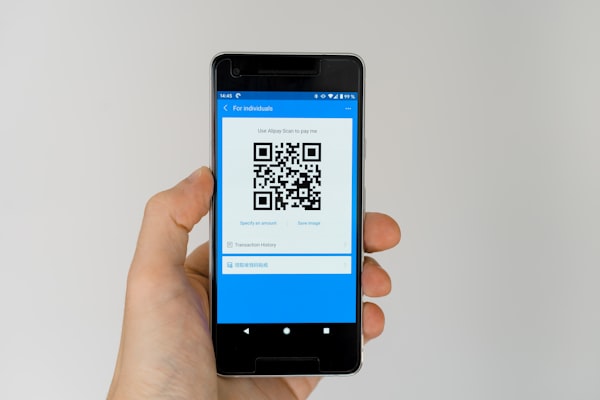
What Is a Location QR Code?
A location QR code is a type of QR code that encodes geographic coordinates (latitude and longitude) or a physical address. When scanned with a smartphone camera, it automatically opens a maps application - such as Google Maps, Apple Maps, or Waze - and displays the programmed destination.
Instead of typing an address or searching for a place, the scanner taps the notification and is instantly shown directions. It's one of the most practical QR code types for any business or event with a physical location.
Why Use a Location QR Code?
Location QR codes solve a simple but persistent problem: getting people to the right place without friction. Here's why they're effective:
- Eliminates "where are you?" questions - One scan gives the exact location, no back-and-forth needed
- Reduces wrong-turn calls - The map opens with turn-by-turn directions from wherever the scanner is
- Works on any smartphone - Both iOS and Android support map links natively without extra apps
- Improves customer experience - A quick scan is faster than copying an address into a navigation app
- No typing errors - Coordinates or addresses are encoded precisely, eliminating typos
Best Use Cases
Location QR codes are versatile and fit many scenarios where physical directions matter:
- Storefront windows - Passersby can scan and save your location for later
- Event venues - Weddings, conferences, and festivals can include the QR code on tickets or signage
- Airbnb check-in instructions - Guests scan to navigate directly to the property
- Wedding invites - Include a location QR code so guests never get lost on the big day
- Real estate open houses - Property signs with QR codes make showings easier to find
- Restaurant delivery and pickup - Curbside pickup locations are clearer with a map pin
How to Generate a Location QR Code
Creating a location QR code with URSAQR takes just a few steps:
- Open the QR code generator and select the Location type
- Enter your address or latitude/longitude coordinates
- Choose your preferred map provider - Google Maps or Apple Maps
- Customize the design with colors, rounded corners, and your logo
- Test the QR code to confirm the map opens correctly
- Download the high-resolution PNG or SVG and publish it
Testing is especially important for location codes - verify that the pin drops in the right spot before printing signs or tickets.
Address vs Coordinates: Which Should You Use?
Both work, but each has trade-offs:
- Addresses are human-friendly and easy to recognize. They work well for standard storefronts, restaurants, and venues with a postal address. However, they can be slightly less precise - a large building might have a single address but multiple entrances.
- Coordinates (latitude/longitude) are exact and work anywhere, including remote areas, trailheads, parks, and parking lots with no street address. Coordinates are universally understood by any mapping service and pin the exact spot.
For most businesses, an address is sufficient. Use coordinates when precision matters or when the location doesn't have a standard address.
Conclusion
A location QR code is a simple but powerful tool that bridges the gap between your physical location and the people trying to find you. Whether you run a storefront, host events, or manage short-term rentals, a location QR code saves time, reduces confusion, and improves the visitor experience.
Generate your free location QR code at URSAQR - no sign-up needed.