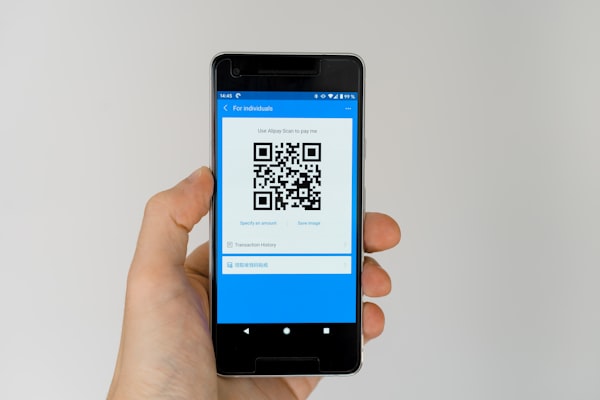
Paper business cards get lost, thrown away, or buried in a drawer. A vCard QR code puts your contact information directly into someone's phone the moment they scan it - no typing, no folding, no recycling bin.
What Is a vCard QR Code?
A vCard QR code encodes contact information using the vCard format (.vcf), a standard file type for electronic business cards. When scanned, the phone recognizes the vCard data and prompts the user to save the contact to their address book. The result is a perfectly formatted contact entry with name, phone number, email, company, job title, website, address, and more.
vCard is supported natively on both iOS and Android. No app or third-party service is required. The QR code simply delivers a .vcf file that the operating system knows how to handle.
Why Use a vCard QR Code?
Going digital with a vCard QR code beats traditional paper cards in several ways:
- No business cards to print - save money on design, printing, and shipping. Update your info without reordering.
- Always up-to-date - with a dynamic vCard QR code, you can change the contact details anytime without reprinting.
- Saves contacts instantly - one scan adds the person to the phone's address book. No manual data entry, no typos.
- Eco-friendly - eliminate paper waste. A digital business card has zero environmental footprint.
- More information - paper cards are limited by physical space. A vCard can hold multiple phone numbers, email addresses, social profiles, and a photo.
Best Use Cases
vCard QR codes are ideal for any situation where you need to share contact information quickly:
- Trade shows and conferences - attach a vCard QR code to your badge or booth display. Attendees scan and save your info in seconds.
- Networking events - replace fumbling for paper cards with a QR code on your phone or lanyard.
- Real estate agents - put a vCard QR code on "For Sale" signs so potential buyers can save your contact details instantly.
- Freelancers and consultants - include a vCard QR code in your email signature, portfolio website, or social media profiles.
- LinkedIn profiles - add a vCard QR code to your LinkedIn banner or business page for easy networking.
- Conference badges - event organizers can print vCard QR codes on attendee badges so everyone exchanges contacts effortlessly.
How to Generate a vCard QR Code
Creating a vCard QR code is quick and straightforward:
- Choose the vCard type - open the URSAQR generator and select the vCard QR code option.
- Fill in your contact fields - enter your name, phone number, email address, company name, job title, website, and physical address.
- Customize the design - adjust colors, add your company logo, and pick a template that matches your brand.
- Generate and test - create the QR code and scan it with your phone to verify all fields appear correctly.
- Download - save the QR code as PNG or SVG and place it on your business cards, digital profiles, or printed materials.
What Fields Can You Include in a vCard?
A vCard QR code supports a rich set of contact fields. Most generators allow you to include:
- Name - first name, last name, and display name
- Phone - work, mobile, and home numbers
- Email - work and personal addresses
- Website - company site, portfolio, or personal URL
- Company - organization name and department
- Job title - your role or position
- Street address - work or home address with city, state, and zip
- Birthday - date of birth for personal contacts
- Note - free-form text for additional information
- Social links - LinkedIn, Twitter, Instagram, or other profile URLs
The more fields you fill, the richer the contact entry. A complete vCard saves the recipient time and ensures they have every way to reach you.
Conclusion
A vCard QR code is the modern replacement for the paper business card. It's faster, greener, and more complete. One scan delivers your full contact profile directly to someone's phone - no app, no typing, no waste. Whether you're a freelancer, a real estate agent, or a conference organizer, a vCard QR code makes sharing your details effortless.
Create your own digital business card with URSAQR - free, no sign-up, and ready in seconds.